

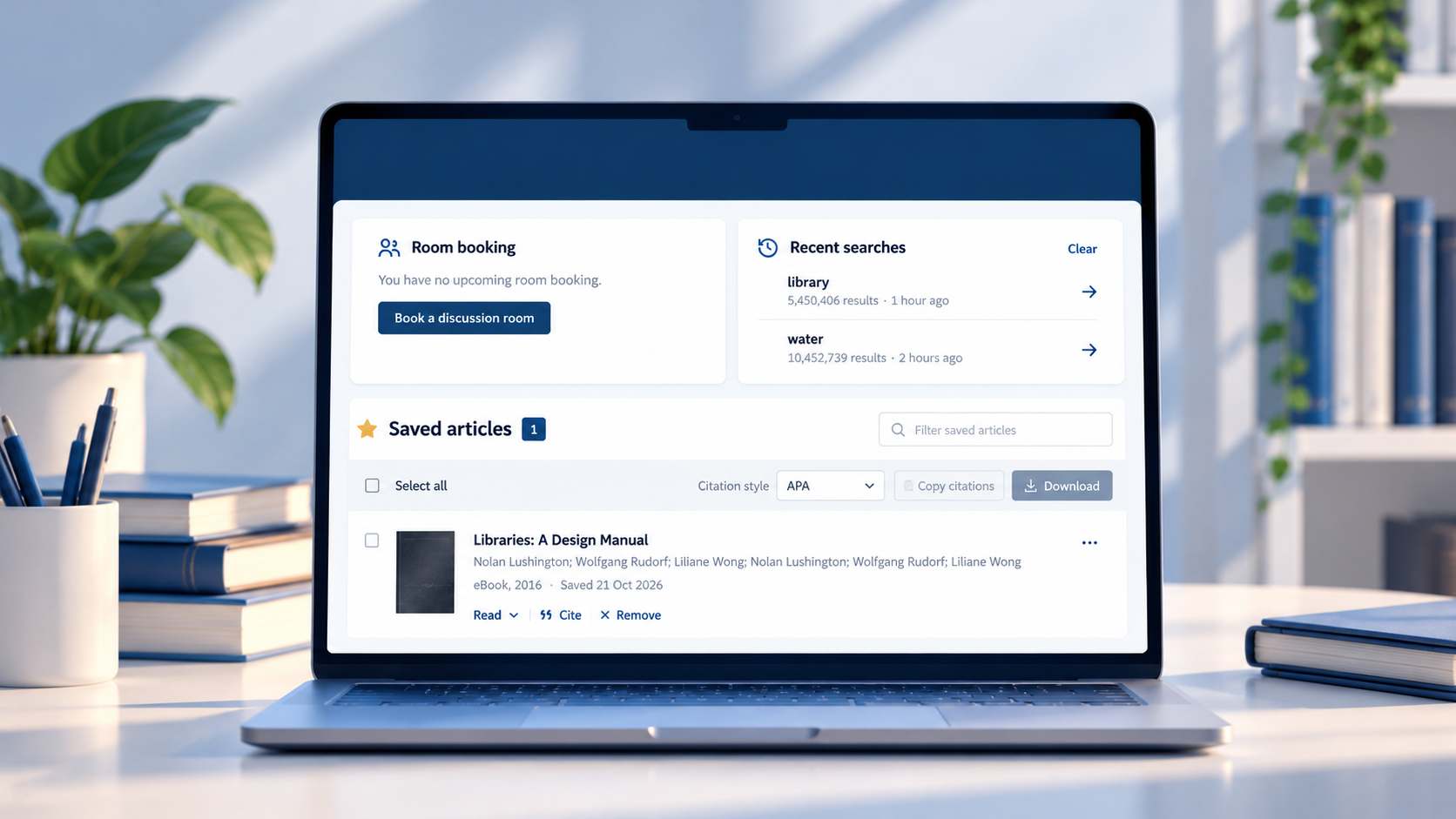
Your library now has a personal space: My Library. Keep the articles you find, pick up your research where you left off, and see your room booking, all in one place.
What you can do in My Library
Save articles for later
Found something useful in Discovery Search? Press ☆ Save on the result. It stays in My Library until you remove it, so you can come back to the full text whenever you need it.
Export your citations in one go
Select the articles you saved, choose a citation style (APA, MLA, Harvard, Vancouver or BibTeX) and copy or download all the citations at once, ready for your reference list. Always check the citations before you hand in your work.
Run your recent searches again
Your last five searches are listed with their filters, so one click takes you straight back to the results.
See and manage your room booking
Your next discussion room booking is shown with its room, date and time. If your plans change, you can cancel it right there so another group can use the room.
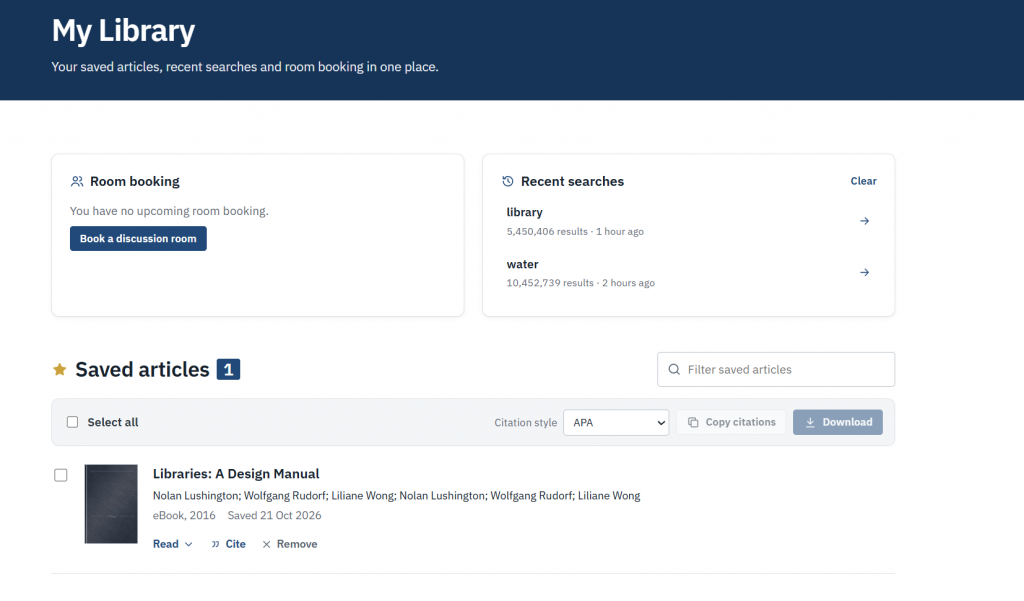
How to open it
- Sign in with your GUtech email account.
- Click your name at the top right and choose My Library, or use the Open My Library button on the home page.
- On the search results page, the My Library button shows how many articles you have saved.
Your saved articles and searches are private: only you can see them.
Questions or ideas? Use the Help tab on the right of any page, read the FAQs, or contact the library team.